> ## Documentation Index
> Fetch the complete documentation index at: https://bruno-a6972042-docs-timeline-scripts.mintlify.site/llms.txt
> Use this file to discover all available pages before exploring further.
# Environment Variables
Environment variables are variables that are scoped to an environment, such as local development or production. They are useful for storing variables that can be re-used across the collection that are different depending on the environment. An example would be the host url of the server you want to test.
## Creating an Environment Variable
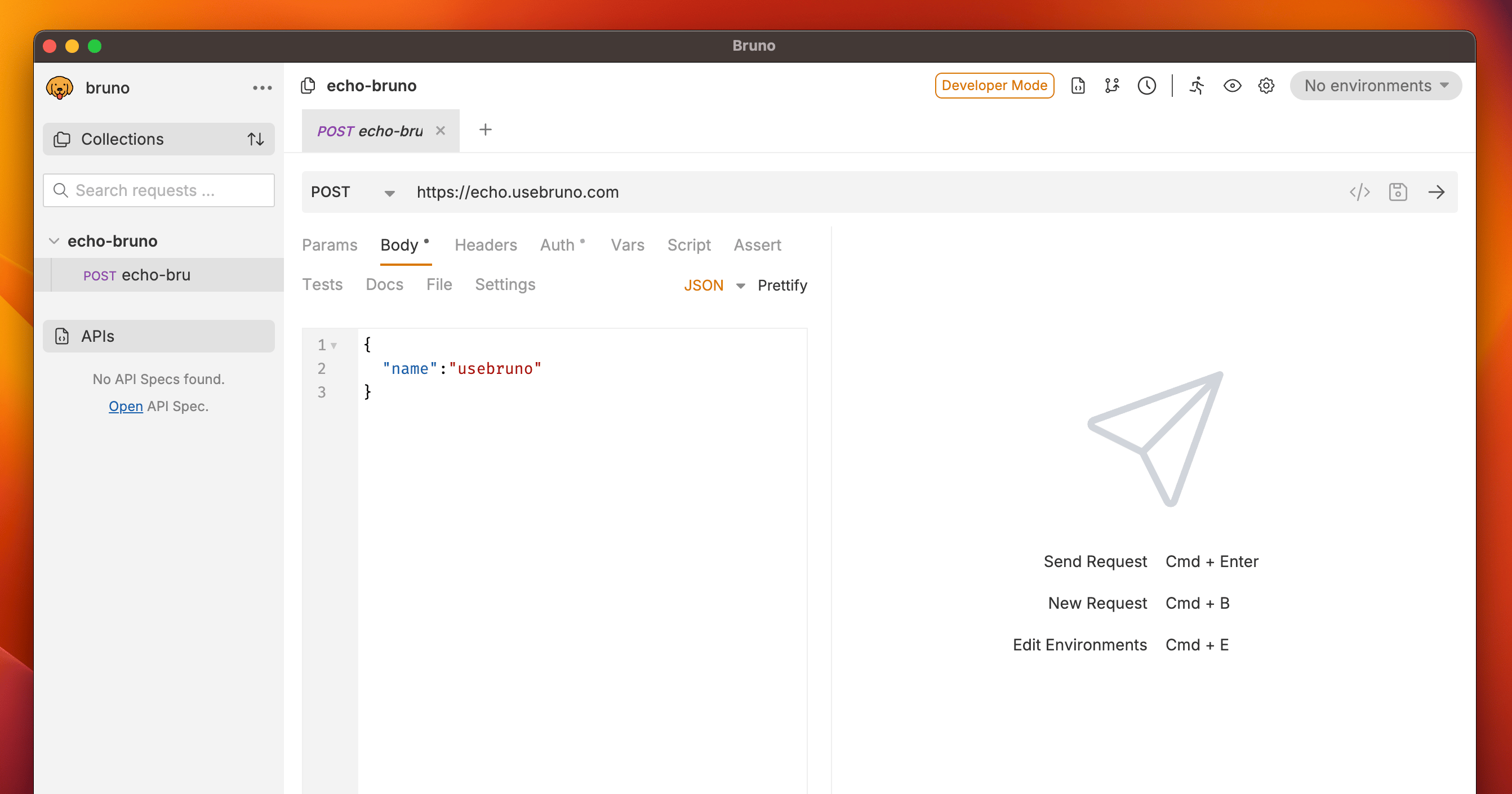
* Go to environments (top right) and press **No environment**.
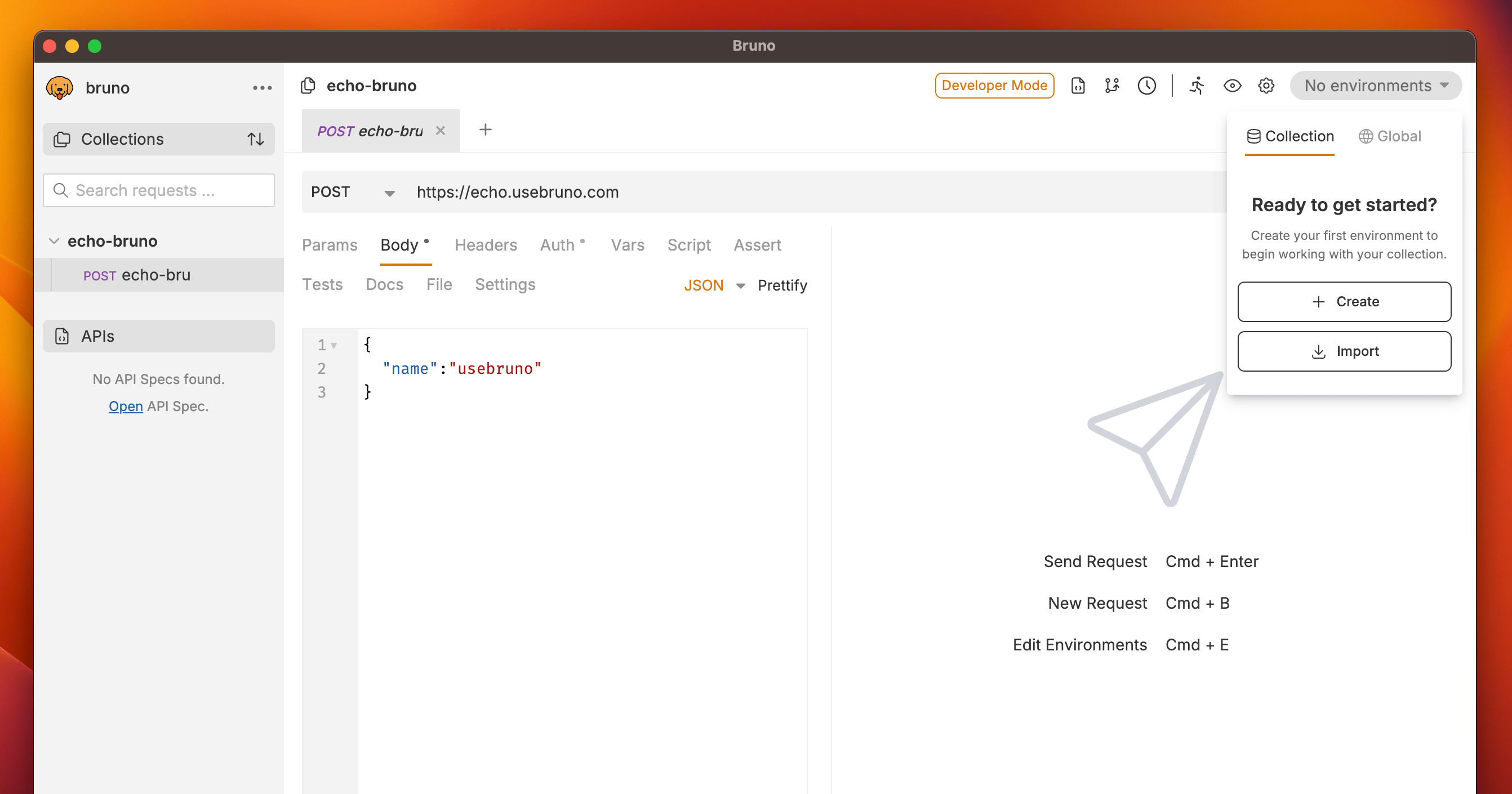
 * If there are no environments, you will be prompted to create one.
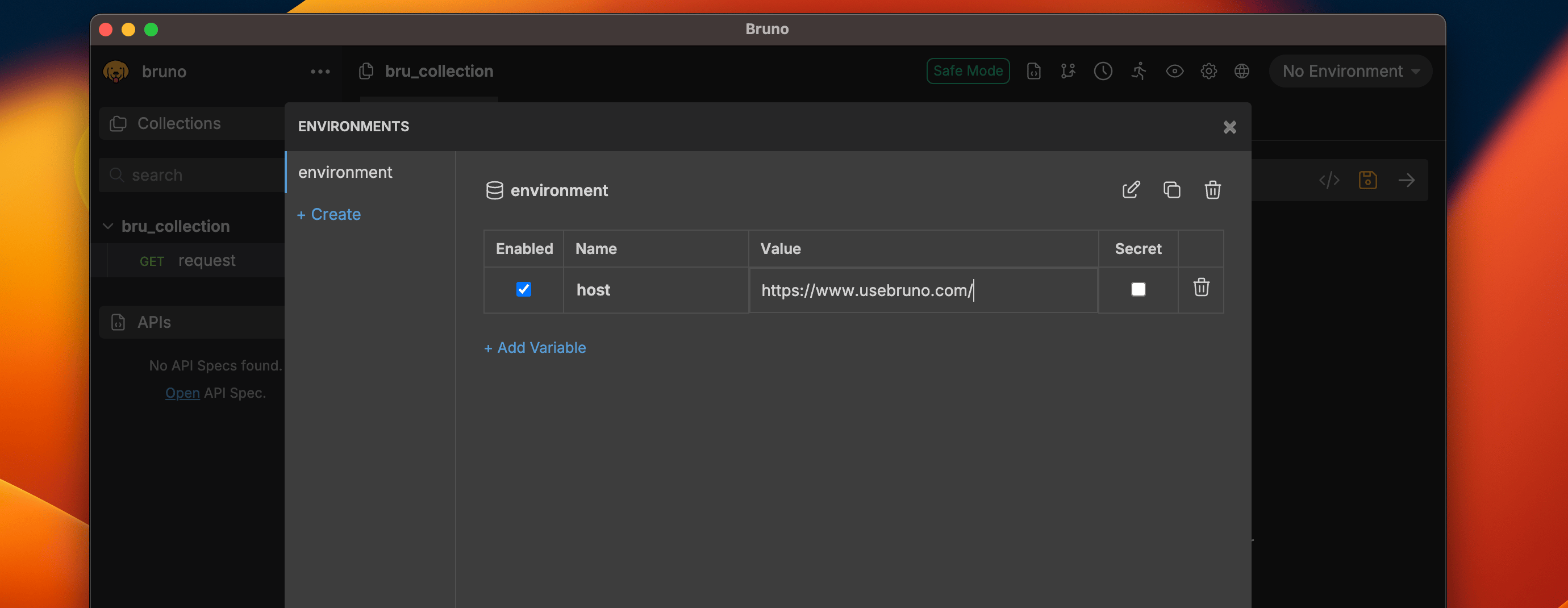
 * Add your variable name and value for the specific environment.
* Save your changes.
* Add your variable name and value for the specific environment.
* Save your changes.
 ## Using an Environment Variable
Just like other variables you can use the `{{varName}}` syntax to use an environment variable in a request. On the top-right, you can see which environment you are currently using and select a different one.
## Using the ./environment directory
Environment variables are synced with the `/environments` directory inside your collection. You can also create and manage environments there.
Each environment is saved in a `.bru` file, which looks like this:
```bash local.bru theme={null}
vars {
host: http://localhost:8787
}
```
For information on importing and exporting environment variables, see the [Import/Export Environments](/get-started/import-export-data/import-export-environments) guide.
## Using an Environment Variable
Just like other variables you can use the `{{varName}}` syntax to use an environment variable in a request. On the top-right, you can see which environment you are currently using and select a different one.
## Using the ./environment directory
Environment variables are synced with the `/environments` directory inside your collection. You can also create and manage environments there.
Each environment is saved in a `.bru` file, which looks like this:
```bash local.bru theme={null}
vars {
host: http://localhost:8787
}
```
For information on importing and exporting environment variables, see the [Import/Export Environments](/get-started/import-export-data/import-export-environments) guide.