> ## Documentation Index
> Fetch the complete documentation index at: https://bruno-a6972042-docs-timeline-scripts.mintlify.site/llms.txt
> Use this file to discover all available pages before exploring further.
# gRPC Streams
gRPC streaming enables real-time, bidirectional communication between clients and servers. Bruno supports all four types of gRPC streaming patterns, allowing you to test and interact with streaming APIs efficiently.
## Understanding gRPC Streaming
gRPC streaming allows you to send and receive multiple messages over a single connection, making it ideal for:
* **Unary streaming** (simple request-response, CRUD operations, authentication)
* **Client streaming** (batch processing, data collection)
* **Server streaming** (real-time notifications, live data feeds, progress updates)
* **Bidirectional streaming** (chat applications, collaborative editing, gaming)
## Streaming Workflow
### Step 1: Configure Request
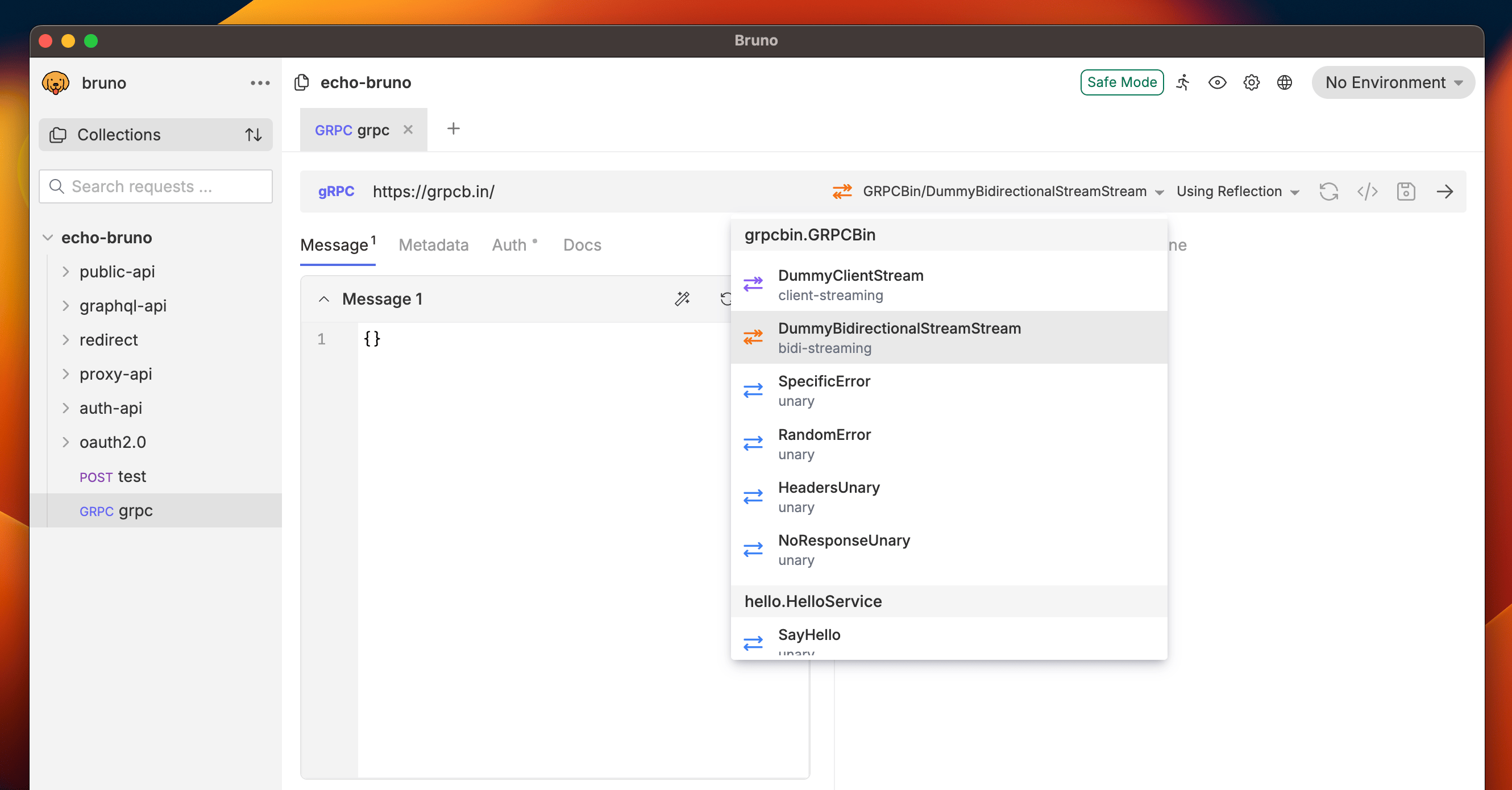
1. Open your collection and create a new gRPC request
2. Add your gRPC server URL (e.g., `https://grpcb.in/`)
3. Select a streaming method from the dropdown
 ### Step 2: Auto-Generate or Add Proto Files
You have two options to add message schema:
**Option A: Auto-Generate Messages**
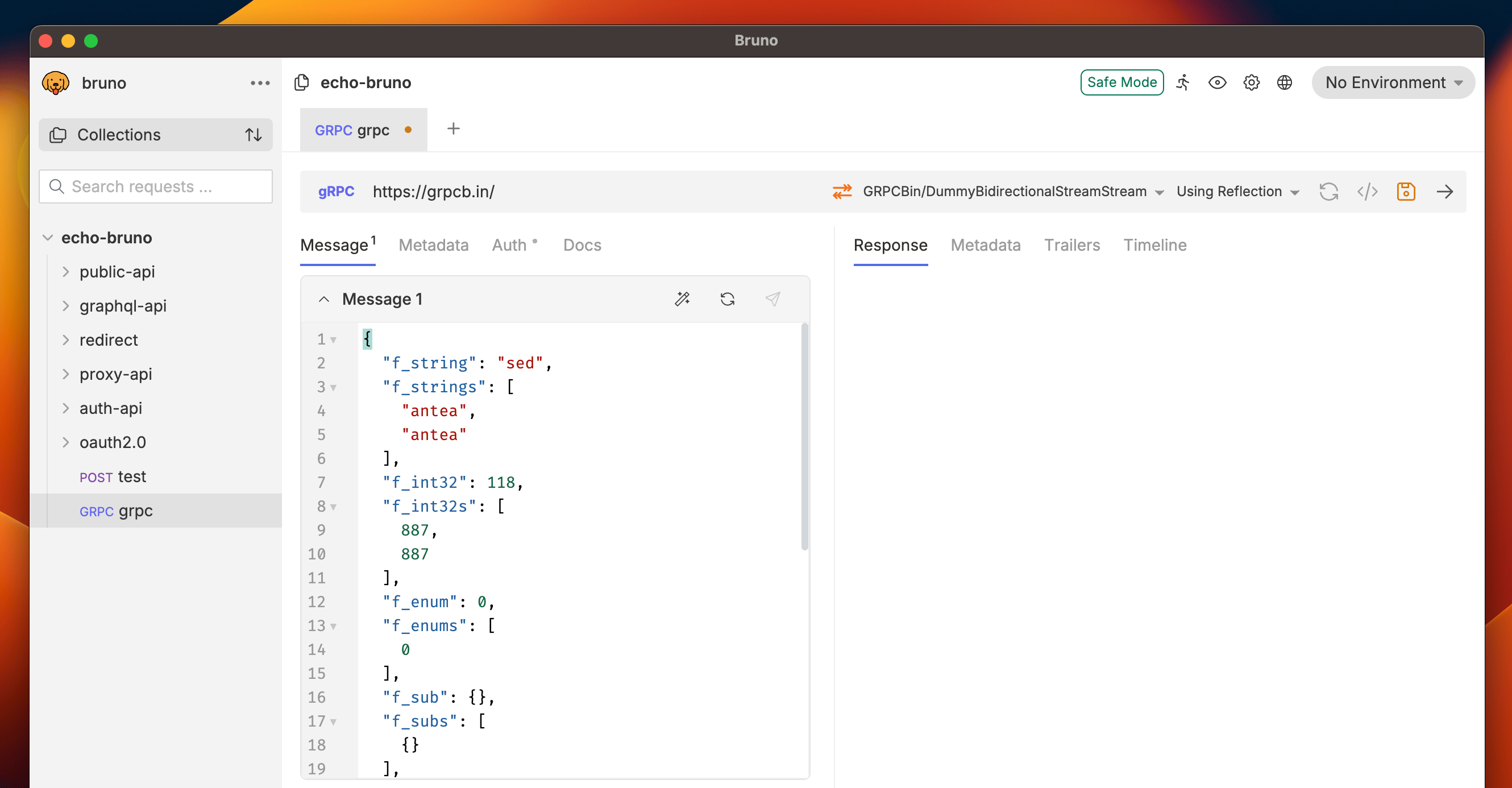
* Bruno can auto-generate message templates based on server reflection (Click the **Auto Fill** 🔄 button)
* This works when your gRPC server has reflection enabled
**Option B: Add Proto Files**
* Upload your `.proto` files (request or collection level) for enhanced IntelliSense
* Provides better type safety and method discovery
### Step 2: Auto-Generate or Add Proto Files
You have two options to add message schema:
**Option A: Auto-Generate Messages**
* Bruno can auto-generate message templates based on server reflection (Click the **Auto Fill** 🔄 button)
* This works when your gRPC server has reflection enabled
**Option B: Add Proto Files**
* Upload your `.proto` files (request or collection level) for enhanced IntelliSense
* Provides better type safety and method discovery
 ### Step 3: Build Stream Connection
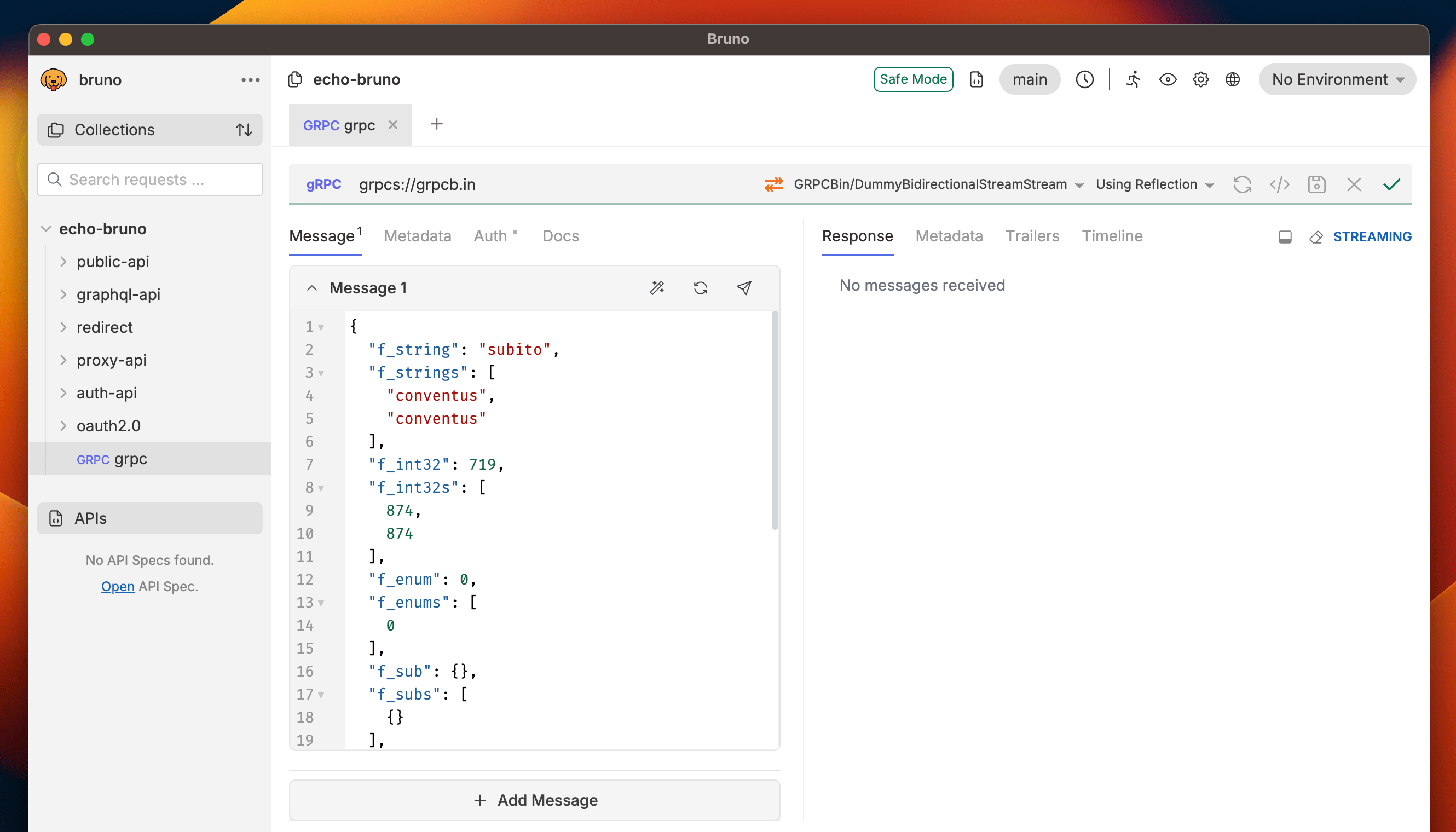
1. **Start Stream**: Click the send button to establish the bidirectional connection
### Step 3: Build Stream Connection
1. **Start Stream**: Click the send button to establish the bidirectional connection
 ### Step 4: Send Multiple Messages
Once the stream is active:
1. **Send Message**: Click the **Send gRPC Message** button to transmit your message (next to **Auto Fill** button)
2. **Add More Messages**: Continue sending additional messages using **Add Message**
### Step 4: Send Multiple Messages
Once the stream is active:
1. **Send Message**: Click the **Send gRPC Message** button to transmit your message (next to **Auto Fill** button)
2. **Add More Messages**: Continue sending additional messages using **Add Message**
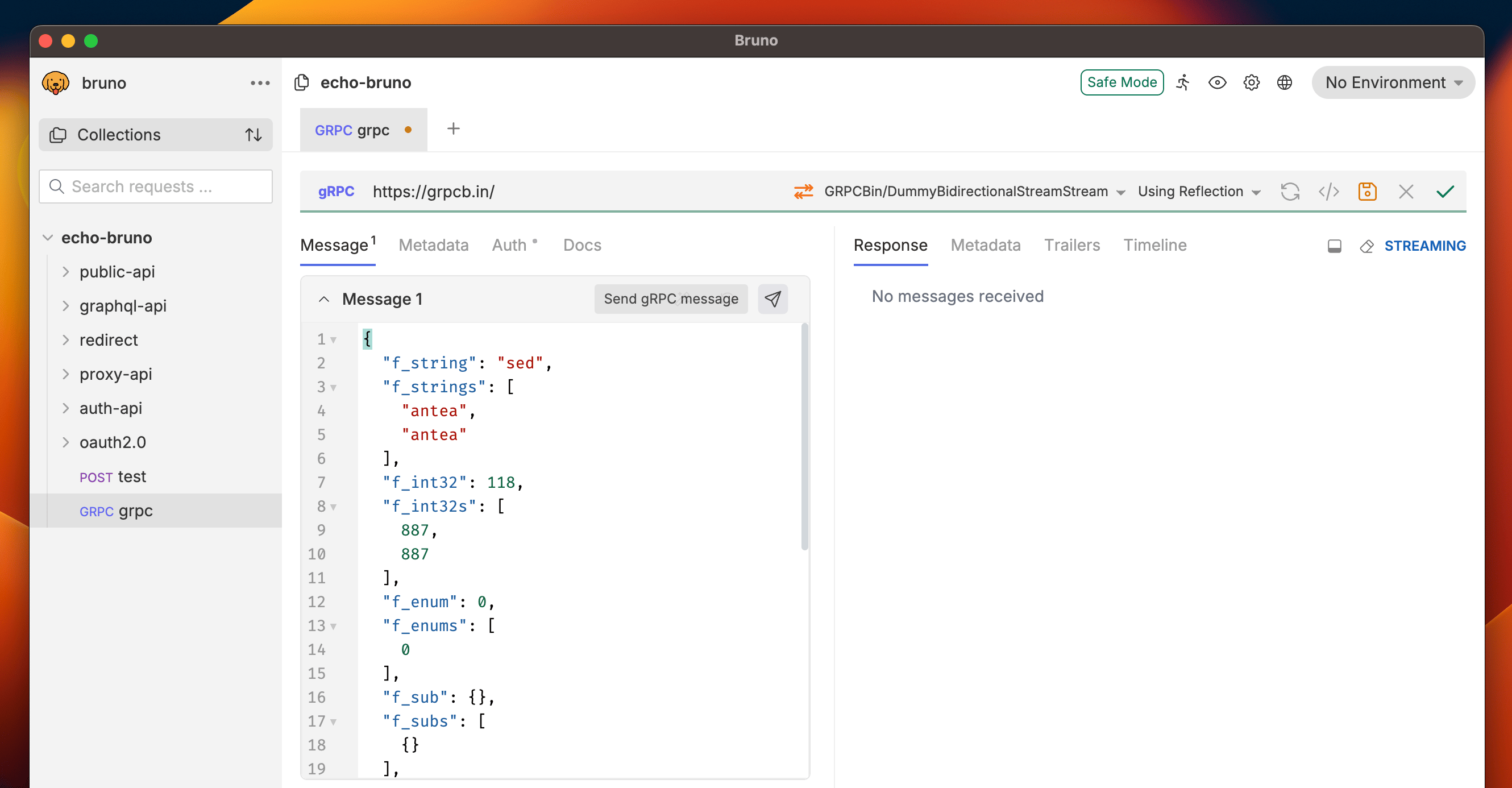 ### Step 5: End Stream and View Timeline
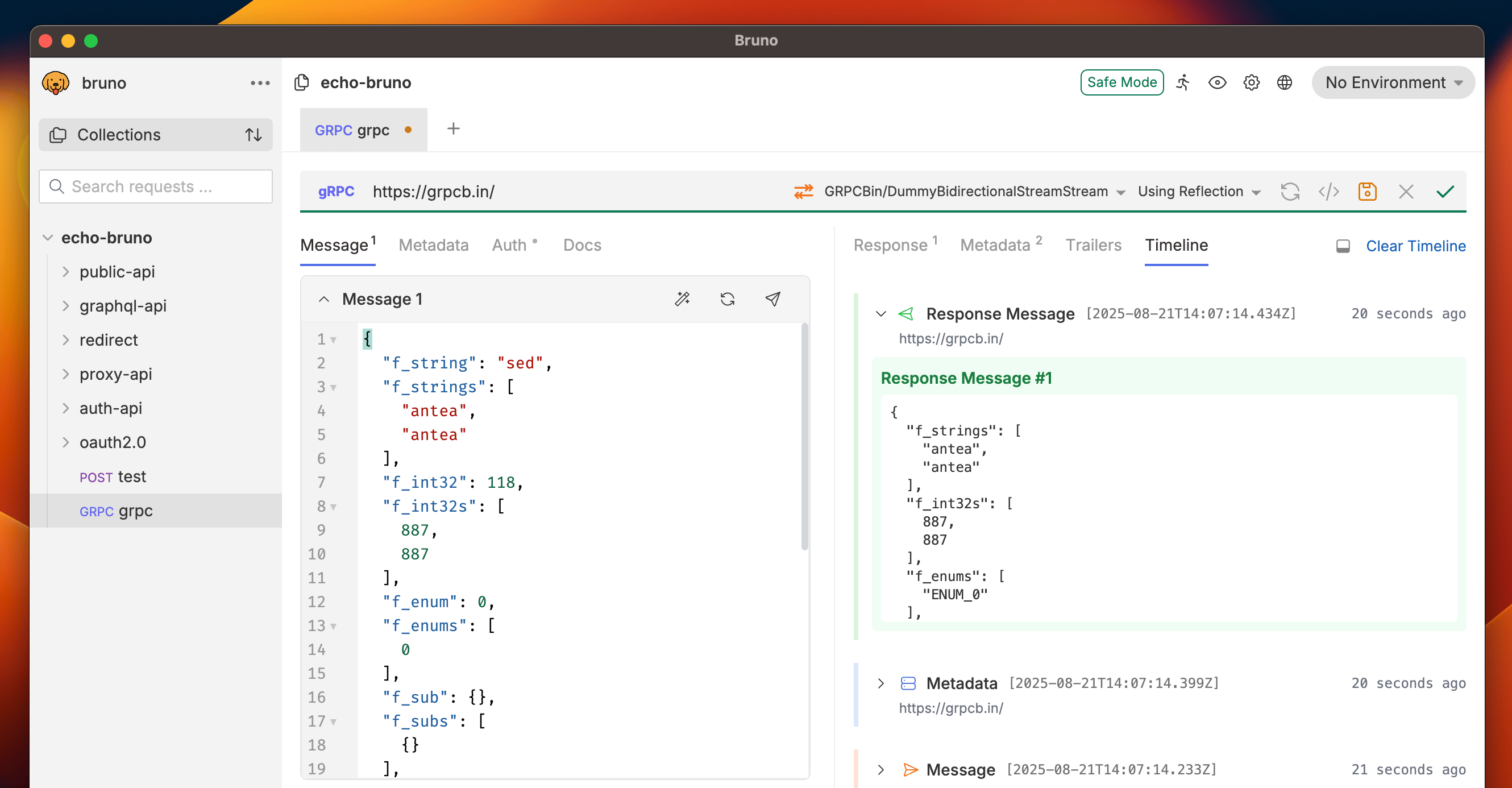
1. **End Message Stream**: Click the ✓ icon (end stream button) to stop sending messages
2. **View Response Timeline**: See the complete conversation timeline with timestamps
### Step 5: End Stream and View Timeline
1. **End Message Stream**: Click the ✓ icon (end stream button) to stop sending messages
2. **View Response Timeline**: See the complete conversation timeline with timestamps